From live moment to
social post in seconds
Real-time clipping for event production. Watch any live stream, mark in/out points, apply branding, and download clips formatted for every social platform. All processed locally on your machine.
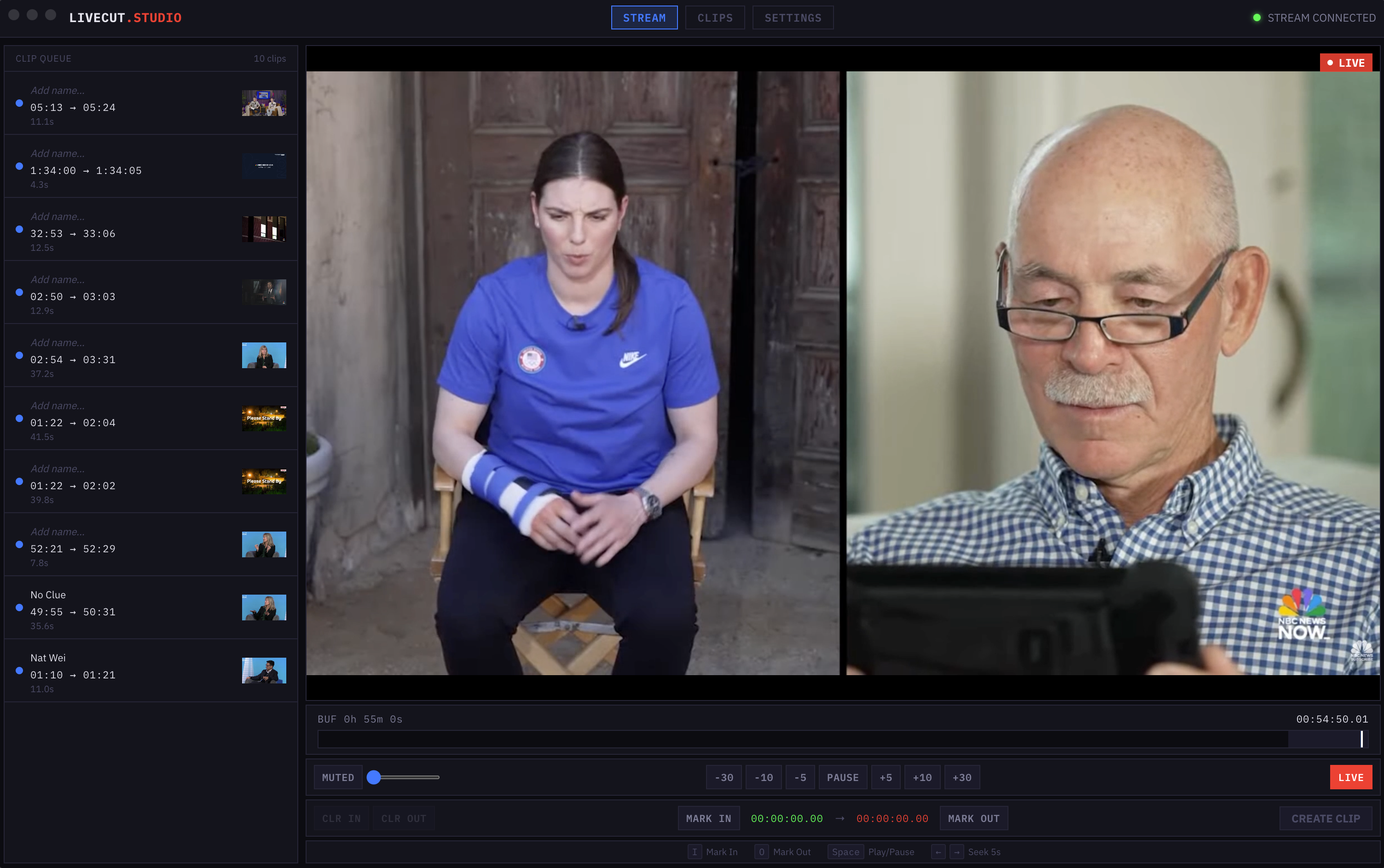
Three steps. Zero delay.
Go from live moment to social-ready clip in under a minute. No cloud processing, no waiting — everything runs locally.
Watch
Connect any live stream — paste a YouTube, Twitch, or m3u8 URL, or receive RTMP/SRT from local encoders. Scrub the full buffer timeline to find the moment.
Mark
Press I for in, O for out. Choose your output format — Reels, Shorts, TikTok, Square, or original. Add branding.
Download
Your clip renders locally via FFmpeg with intros, outros, watermarks, and lower thirds baked in. Save and post immediately — no cloud upload, no delay.
Built for the production floor
Every feature designed for operators working live events, where speed and reliability are non-negotiable.
Any Stream Source
Paste a YouTube, Vimeo, Twitch, or direct HLS URL. Accept RTMP and SRT from OBS, vMix, or Wirecast over your local network.
Platform Templates
One-click formatting for Instagram Reels, YouTube Shorts, TikTok, Twitter/X, square feed posts, or keep the original aspect ratio.
Full Branding Pipeline
Add intro and outro videos, watermarks with 5 positions and scalable size, plus lower third overlays — all with live preview before rendering.
Unlimited Buffer
Never miss a moment. The rolling HLS buffer captures everything from the moment you connect. Scrub back through the full timeline at any time.
Local Network Ingest
Bundled MediaMTX server accepts RTMP and SRT from encoders on your local network. No internet required for on-site production.
Split Workflow
Mark and extract clips on the Stream page. Switch to the Clips page to apply branding and render. Non-destructive — re-render with different settings anytime.
Wherever there's a live moment
If you're producing a live event and need clips on social media before the audience leaves the room, LiveCut is your tool.
Conferences
Keynotes, panels, breakout sessions
Concerts
Live music, festivals, DJ sets
Sports
Game highlights, plays, celebrations
Worship
Services, sermons, worship sets
Corporate
Town halls, product launches, webinars
One tool. Your way.
From a single event to a permanent studio license. Every plan includes all features, all formats, all branding tools.
7-day license · renewable
- All features unlocked
- All output formats
- 1 machine activation
- Extend anytime for $100/week
- Transfer between machines
Auto-renews · cancel anytime
- All features unlocked
- All output formats
- 1 machine activation
- All updates included
- Transfer between machines
One-time payment · yours forever
- All features unlocked
- All output formats
- 1 machine activation
- Lifetime access to current version
- Transfer between machines
Perpetual license holders can add the Update Plan for $100/year
Get access to every new version released during your plan. Without it, your current version keeps working forever.
Every plan includes
Your next event
deserves real-time clips
Stop waiting for post-production. Start posting highlights while the energy is still in the room.